



ISO CNC SEQUENTIAL NUMBER ENGRAVING SOFTWARE
ELIMINATE MANUAL INPUT | ANY FONT SIZE WITHOUT CAM
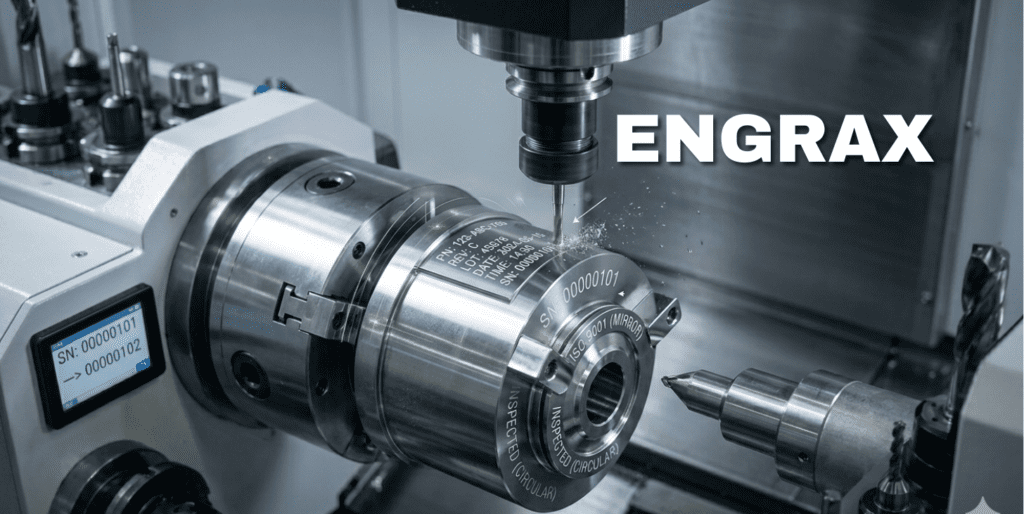
ENGRAX is a specialized precision engraving solution engineered to automate ISO-compliant sequential numbering and traceability marking on Fanuc-controlled CNC machinery. Designed to bridge the gap between complex CAM programming and manual data entry, ENGRAX allows machine shops to generate high-quality, dynamic engraving code directly at the control.
The Macro-Driven Advantage
By utilizing a combination of configuration files and proprietary macro logic, ENGRAX converts user-defined parameters into executable Fanuc G-code. This approach eliminates the need for generating new toolpaths for every serial number change, significantly reducing human error and maximizing spindle uptime.
Efficiency for Machine Shops
The primary value of ENGRAX lies in its ability to simplify the production floor workflow. By automating the calculation of variables like week numbers and serial increments, the system ensures that traceable identification is accurate and consistent without requiring the operator to manually write toolpaths or conditional logic.
Macro Capabilities
-
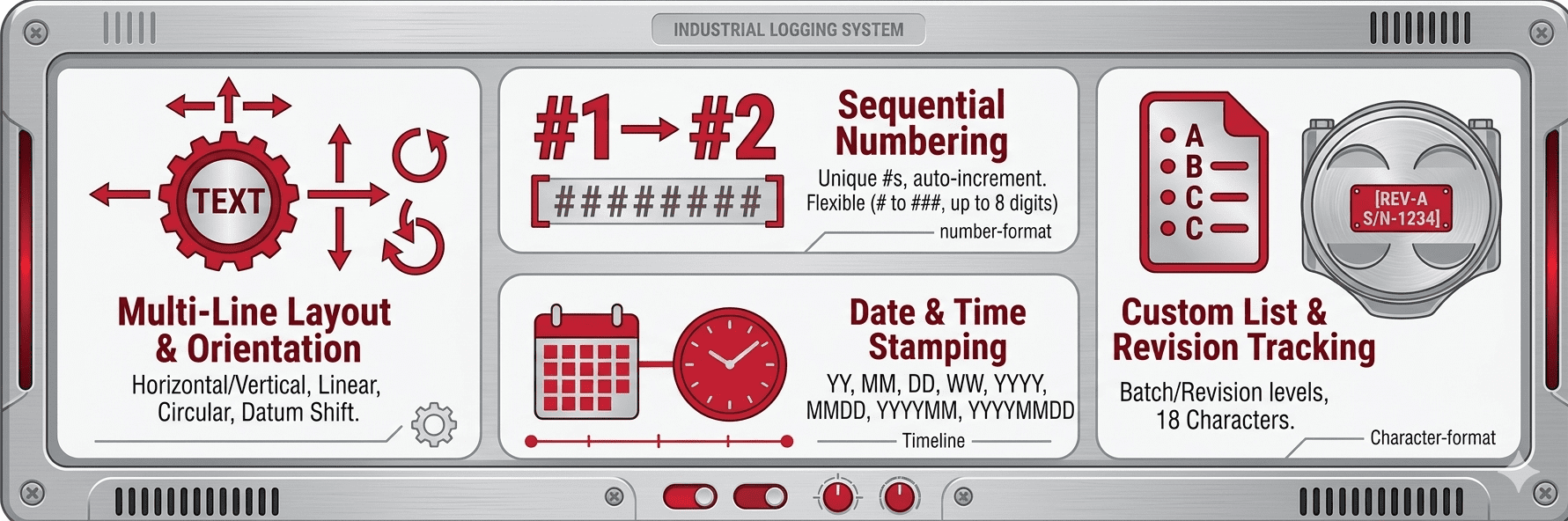
Dynamic Characters : Easily generate sequential serial numbers, real-time date stamps, and revision levels using pre-defined placeholders (e.g.,
«####»,«YYMMDD»,«WW»). -
Versatile Geometries: Supports a wide range of machining environments, from standard flat surfaces to complex cylindrical wrapping on multi-axis and turn-mill centers.
-
Total Layout Control: Users can customize text orientation, orientation angles (e.g., 90° vertical), letter height, and width through a streamlined, drag-and-drop workflow.
-
Seamless Integration: The software outputs a compact subprogram called via a standard
G65macro command.
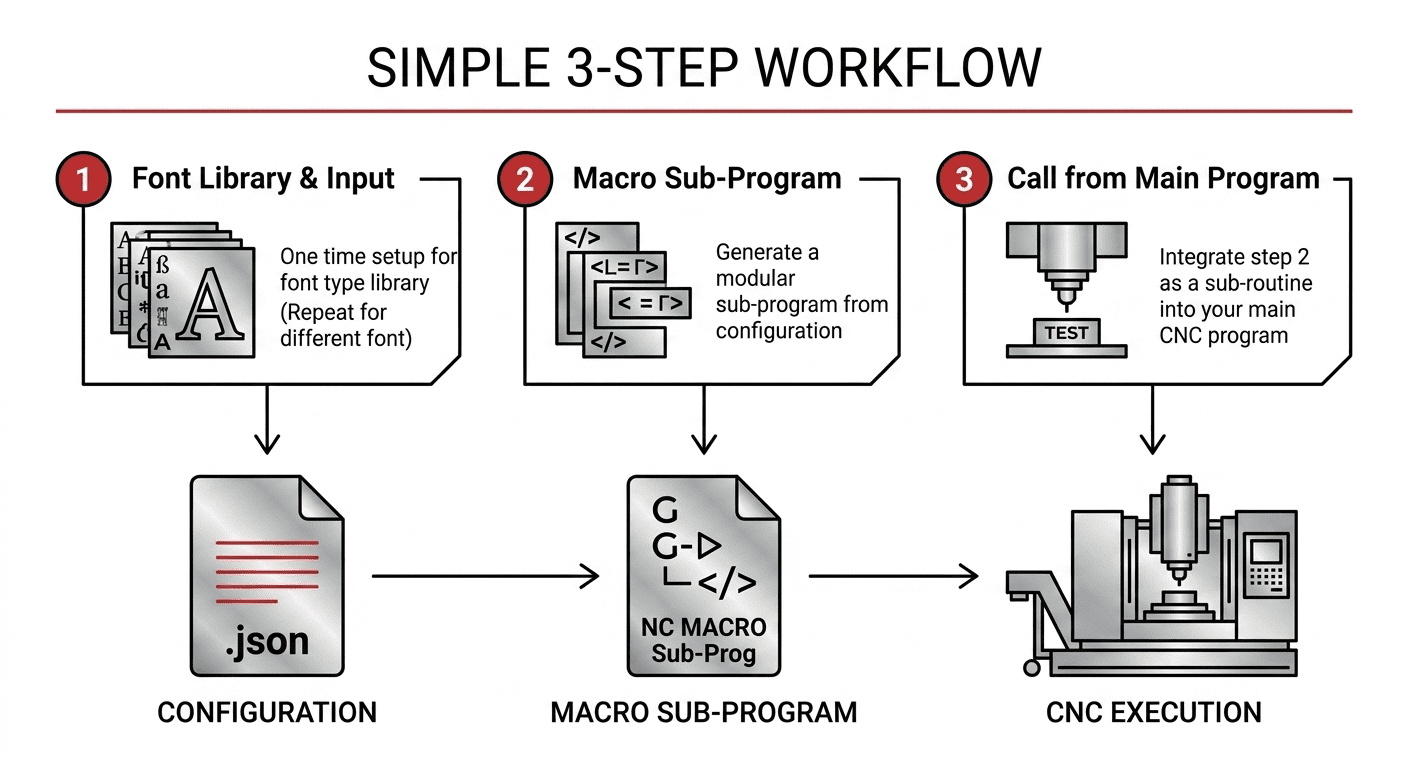
The engraving software utilizes a simple 3-step workflow to generate an NC program, designed to eliminate manual data entry and complex programming
-
Configure: Define your font, height, and layout in a Configuration file.
-
Generate: Create your modular Macro Sub-Program.
-
Execute: Call the sub-program from your Main CNC Program.